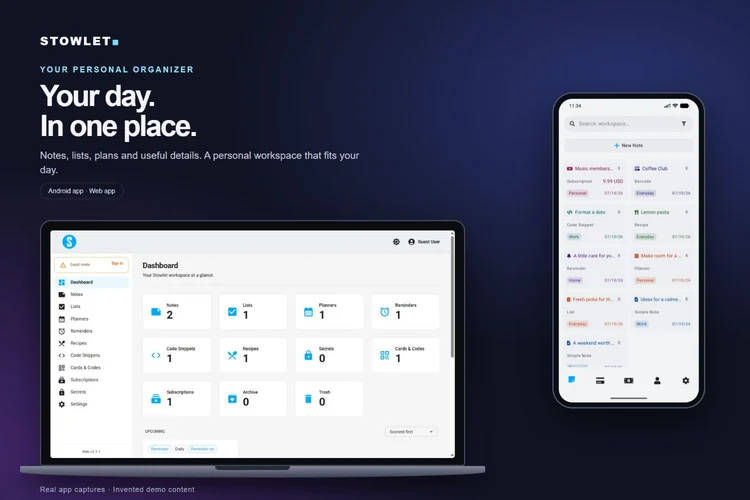
Your everyday workspace Open Stowlet on Android. Keep notes, lists, planners and reminders as separate kinds of items.
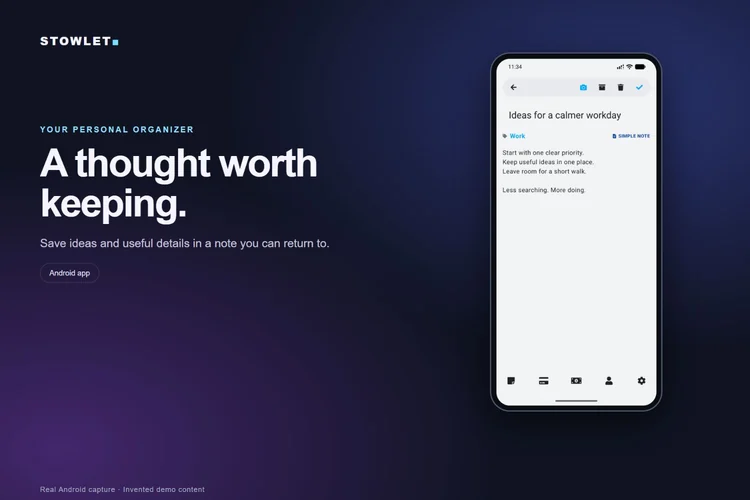
Start with a note Create a note for an idea or useful information. Give it a clear title, add your text, then save.
Choose a category Use a category such as Personal or Work to give your note context and help organize your workspace.
Use a list for things to do Create a separate list for tasks or shopping. Check off each item as you finish it.
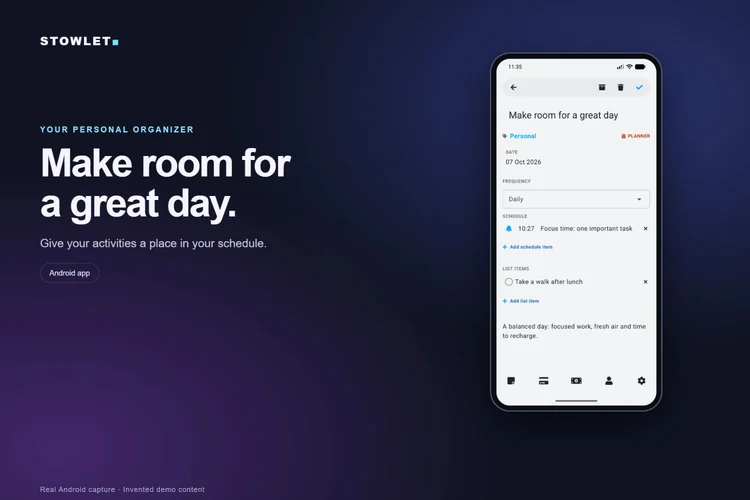
Plan your activities Use a planner to organize activities in your schedule. Review the date and time before saving.
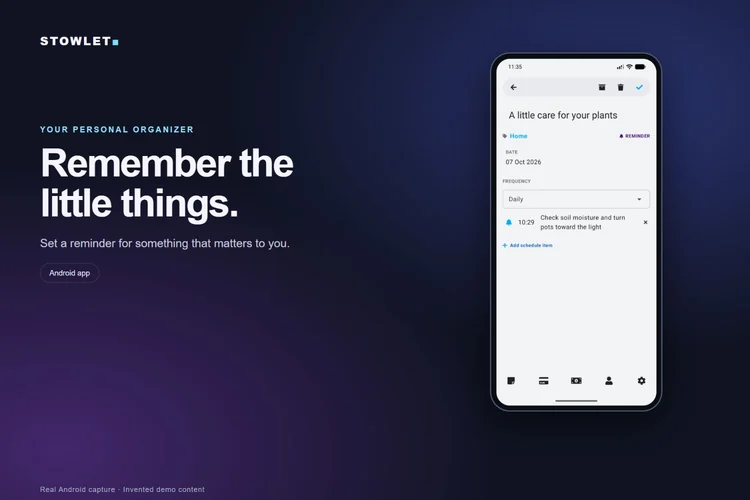
Remember something important Use a reminder for something you want to remember. Check its schedule and allow notifications when prompted.
Keep other information handy Recipes hold ingredients and steps. Code snippets, Cards & Codes and Subscriptions each have their own purpose.
Keep your workspace focused Archive information you want to keep. Use Trash for items you want to remove; restore them before the displayed deletion deadline.
Continue on another device Use the same linked Stowlet account in the cross-platform Web/PWA app to access supported saved workspace content.
Cross-platform Web/PWA app
Playing loads YouTube, which receives connection information. Watch on YouTube
Stowlet across your devices Open stowlet.ayohi.com in a compatible browser on your computer, phone or tablet.
Use the same account Sign in with the same linked identity you use on Android to access your supported saved workspace content.
Start with a clear note Open Notes and create an item. Add a title, category and useful text, then save.
Give each kind its own purpose Notes, Lists, Planners and Reminders are distinct items. Choose the kind that fits what you need to do.
Organize your day Open Planners for scheduled activities. Use Reminders for things you want to remember. Review dates and times before saving.
Access it on smaller screens The cross-platform Web/PWA app also works in compatible mobile browsers, including iPhone, iPad and Android.
Install where supported Use your browser’s install or Add to Home Screen option when available. The location of this option varies by browser and device.
Keep an eye on your connection Web access and saves need a connection. If saving fails, keep your edits in the form, reconnect and press Save again.
One workspace, more places Use compatible browsers on Windows, macOS, Linux, Android, iPhone and iPad. TV and console browser support varies; check compatibility first.
MAKE IT YOURS
A place for the things you use every day.
Notes
Capture ideas, reference details and information you want to revisit.
Lists
Create checklists for tasks, shopping, packing or repeatable routines. Mark each step as completed.
Planners
Organize upcoming plans and scheduled activities.
Reminders
Set prompts for actions that need your attention.
Recipes
Keep recipes and cooking information in their own place.
Code snippets
Save reusable code for reference.
Cards & Codes
Save supported card details, QR codes and barcodes for easy reference. Loyalty cards are one useful example.
Subscriptions
Track recurring services and their renewal details.
Secrets
Keep sensitive entries in a dedicated, protected part of your workspace.
Your workspace, together
Pin, clone, archive, restore and sync signed-in content across Android and the cross-platform Web/PWA app.
ANDROID + CROSS-PLATFORM WEB/PWA
At your desk. On your phone.
Stowlet: Personal Organizer is available on Android through Google Play, and as a cross-platform Web/PWA app on other compatible devices. Use Stowlet Personal Organizer in your browser on a PC, Mac, iPhone, iPad or other supported device. Install it as a PWA where your browser offers that option.
Cloud sync is included in both Free and Pro. Android also supports local use. Web saves need a connection; if a save fails, your edits stay in the form so you can retry.
Use Google, Microsoft, GitHub, Yahoo, X or email where offered. Keep the same linked identity when switching devices.
Access on smart TVs, consoles and other devices depends on a browser that supports the technologies Stowlet needs. Layout, sign-in, storage, installation and notifications can vary by device and browser.
FREE OR PRO
Start with Free. Make more room with Pro.
Stowlet plan comparison
Feature
Free
Pro
Workspace items
Up to 50
Unlimited
Categories
Up to 5
Unlimited
Secret Notes
Up to 5
Unlimited
Active alarms / reminders
Up to 10
Unlimited
Cloud sync
Included
Included
Security & encryption
Included
Included
OCR scanning (Android)
—
Included
Data export
—
Included
Pro is offered monthly or yearly. Current prices, currency and billing details appear in the app before purchase. Existing Lifetime entitlements remain supported.
Open the live cross-platform Web/PWA app in your browser, or check Google Play for Android availability. Use the cross-platform Web/PWA app on iPhones, iPads and other compatible devices, and install it as a PWA where supported.
What happens when I reach a Free limit?
The app explains the limit and offers Pro. You can also reduce your usage and retry.
How do I get support?
Visit Support for email and WhatsApp. Include your platform, app version and a short description of the issue.
Search your workspace, use categories and pin useful items. Clone an item when you want a starting point for a new one. Duplicate-title confirmation lets you rename or save the title as it is.
02
Archive or remove
Archive items you want to keep out of your active workspace. Move unwanted items to Trash and restore them within the three-day retention window. Permanent deletion and expiry cannot be undone through Restore.
03
Plan ahead
Use planners to organize scheduled activities. Use reminders as a separate item type to prompt you about actions. Android notifications can open the related workspace item. Notification delivery depends on device permissions and operating-system settings.
GOOD TO KNOW
Secrets and account protection.
Secret values use client-side AES-256-GCM encryption. Secrets have a dedicated lock/unlock workflow; Android also offers biometric interface protection where supported. These protections apply to their specific features and do not mean every ordinary note or every piece of account metadata has the same encryption model.
Your encryption password is separate from the identity used to sign in. Follow the app’s encryption and recovery guidance before changing protection settings. Do not send encryption passwords or Secret content to support.
Sign-in providers link identities to an account. Use the same linked account across devices; Stowlet does not automatically merge different accounts when an email or credential conflict occurs.
GOOD TO KNOW
Cards & Codes and scanning.
Keep supported card details and codes and view supported QR codes and barcodes. Android provides scanning capabilities where supported by the device. OCR text scanning is an Android Pro feature. Pro data export is available on Android and the cross-platform Web/PWA app. The cross-platform Web/PWA app does not currently offer OCR text scanning.
Subscriptions.
Track recurring subscriptions and renewal dates. Tracking a subscription in your workspace does not purchase, cancel or change that service’s billing. Stowlet Pro billing is managed separately through the purchase platform used.
GOOD TO KNOW
Privacy, access and help.
Cloud synchronization is included for signed-in Free and Pro users. Android local use and Web connectivity behave differently: Web saves need a connection, and a failed save keeps your edits in the editor for retry. Installing the cross-platform Web/PWA app as a PWA does not by itself make every operation available offline.