Etsy Seller Tools
Selling on Etsy can look simple from the outside, but every seller knows how many small details sit behind one listing.
There are product ideas, photos, mockups, titles, descriptions, tags, prices, fees, expenses, updates, customer questions, files, orders and plans for what to create next.
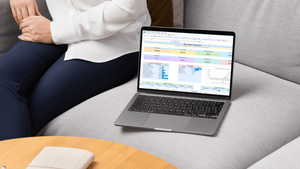
Ayohi Etsy seller tools are created to help small shop owners organize those details in a clearer, calmer way.
These templates are made for sellers who want to understand their numbers, plan their products and run their shop with more confidence, without building a complicated system from zero.
If you are new to digital files, start with How It Works before choosing a template.
Simple tools for Etsy shop owners
A good Etsy seller template should help you see what is happening in your shop.
It should help you answer questions like:
| Question | Why it matters |
|---|---|
| Is this product priced properly? | Helps you avoid guessing when setting a price |
| What costs should I include? | Helps you remember fees, tools, materials and time |
| Which listings need improvement? | Helps you update titles, photos, descriptions and tags |
| What products should I create next? | Helps you organize ideas before making more items |
| What income came from the shop? | Helps you understand sales and revenue |
| What expenses are connected to the shop? | Helps you see the real cost of running it |
Ayohi Etsy seller tools are not made to promise sales or guarantee results. They are made to help you stay organized and make better decisions with the information you have.
What you may find in this collection
The Etsy Seller Tools collection may include Etsy profit calculators, pricing spreadsheets, product planners, listing planners, income trackers, expense trackers, shop overview pages, order trackers and digital product planning templates.
Some tools may be spreadsheet-based. Some may be printable. Some may include both.
Always check the product description before buying so you know what file type is included, what software is needed and what the template can help you track.
Etsy profit calculators
An Etsy profit calculator can help you estimate how much may be left after product costs, platform-related costs, transaction costs, payment costs, ads, packaging, shipping supplies, design tools or other business expenses.
Profit matters because a product can sell and still not be priced well.
A calculator gives you a clearer place to test different prices before publishing or updating a listing.
If you also want broader income and expense tracking for your business, you may find useful templates in Small Business Tools.
Etsy pricing spreadsheets
Pricing is one of the hardest parts of running an Etsy shop.
Many sellers start by looking at similar products and trying to match the market. That can be useful, but it is not enough. Your price should also consider your costs, your time, your tools, your product type, your shop stage and your long-term goal.
An Etsy pricing spreadsheet can help you test prices in a more structured way.
It will not decide the perfect price for you, but it can help you stop guessing blindly.
Etsy listing planners
A listing planner helps you prepare the details of a product before publishing.
You can use it to organize the product title, description, keywords, tags, image ideas, mockups, file details, product benefits, target buyer and update notes.
This is especially useful if you create digital products, printable templates, spreadsheets, invitations, planners or handmade items with many details.
If your shop includes printable planners, you may also want to browse Printable Planners for inspiration and product organization ideas.
Etsy product planners
A product planner gives your ideas a place to grow before they become listings.
You can use it to plan product names, file types, product bundles, buyer problems, seasonal ideas, listing images, bonuses, instructions and future improvements.
For digital product sellers, this can be very helpful because one product often includes many small parts: files, screenshots, mockups, descriptions, instructions, thank-you pages and update notes.
If you create invitations, event templates or editable designs, you may also find relevant product ideas in Invitations & Events.
Etsy income trackers
An income tracker helps you record money coming from your Etsy shop.
You can use it to follow sales, product categories, monthly income, order totals or other shop revenue details.
This makes it easier to review what happened during the month and compare one period with another.
If you also want to organize your personal money separately from shop money, visit Budget Planners.
Etsy expense trackers
An expense tracker helps you see the costs connected to your Etsy shop.
These may include design software, mockups, fonts, listing tools, subscriptions, ads, packaging, shipping supplies, materials, printing, business services or other shop-related expenses.
Tracking expenses is important because the visible sale price is not the same as real profit.
Even a simple tracker can help you understand whether your shop is growing in a healthy way.
Order trackers
An order tracker can help you follow product names, order details, customer notes, shipping status, file delivery, custom requests or completion dates.
This is useful for handmade sellers, printable creators, custom invitation shops, digital product sellers and small shops that want to keep order information organized.
For home-based sellers who manage business and family life together, simple organization tools from Home & Family Printables may also be useful.
Who these Etsy seller tools are for
Ayohi Etsy seller tools may be useful for:
| Seller type or situation | How these tools can help |
|---|---|
| New Etsy sellers | Start tracking prices, products, listings and shop expenses |
| Digital product sellers | Organize files, listings, mockups and product ideas |
| Printable creators | Plan planners, checklists, trackers and product bundles |
| Invitation sellers | Track editable designs, event templates and listing details |
| Handmade sellers | Follow costs, inventory, orders and product pricing |
| Busy parents building a shop | Keep shop details in one place with less mental load |
| Small shop owners | Review income, expenses and profit more clearly |
If you are still testing what type of shop tool you need, you can start with Free Templates and try a simple sample before buying a full product.
Spreadsheet or printable?
Choose a spreadsheet if you want automatic calculations, totals, pricing tests and a digital system you can update over time.
Choose a printable planner if you prefer writing product ideas, listing notes and shop plans by hand.
Choose a profit calculator if your main problem is pricing.
Choose a listing planner if your main problem is organizing product information before publishing.
Choose a product planner if your main problem is deciding what to create next.
Choose an expense tracker if your main problem is understanding what the shop costs to run.
Before you buy
Before choosing an Etsy seller template, check:
| Detail | What to look for |
|---|---|
| File type | Excel, Google Sheets, PDF, Canva or another format |
| Software needed | Excel, Google Sheets, PDF reader, Canva or another tool |
| Included sections | Pricing, profit, income, expenses, listings, products, orders or notes |
| Formula cells | Whether the file includes automatic calculations |
| Editable areas | Whether you can type, customize or only print |
| Usage rules | Whether the file can be used for your own shop organization |
The FAQ page answers common questions about downloads, spreadsheets, printables and editable files. If you are unsure about a product, use Contact before buying.
A calmer way to build an Etsy shop
An Etsy shop is built through many small steps.
A better price. A clearer listing. A stronger product idea. A better photo. A more useful description. A simple tracker that shows what is actually happening.
Ayohi Etsy seller tools are created to support those small steps.
They are made for real sellers who are learning, improving and trying to build something with care.
You can continue browsing the full Shop, read about digital downloads on How It Works, or learn more about the small family story behind Ayohi on About Ayohi.
For usage rules, please read Terms of Use. For privacy information, visit Privacy Policy.